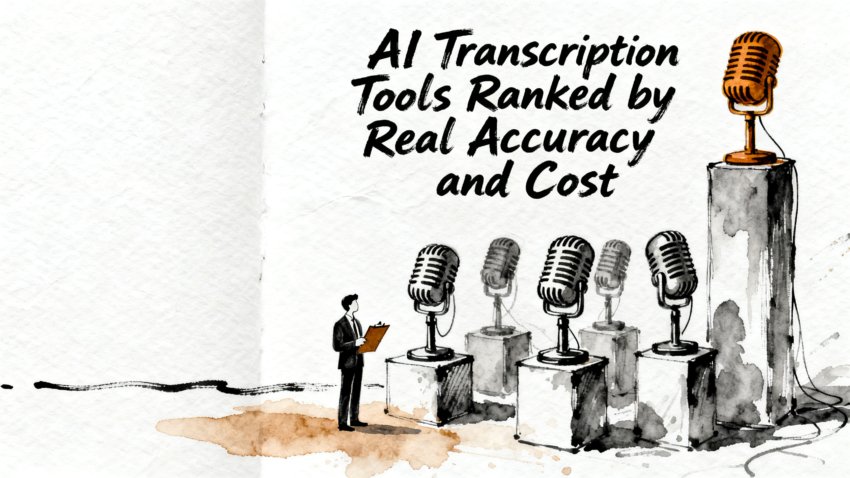
AI Transcription Tools Compared by Accuracy, Use Case, and Cost
Beyond the Demo: Evaluating AI Transcription Tools on Accuracy and Real-World Cost
TL;DR
AI transcription tools range from free open-source software to full-featured subscription platforms; the right choice depends on the accuracy your audio demands, how fast you need output, your budget per audio hour, and whether live meeting capture or post-production editing is the primary workflow. Run your own test on representative recordings before committing to any plan.
Quick Takeaways
- AI transcription tools perform very differently on difficult audio: multi-speaker calls, regional accents, and technical jargon expose wide gaps between platforms.
- Otter.ai is built for live meeting capture with speaker labels and auto-summaries; Descript targets audio and video production through text-based timeline editing.
- Sonix handles bulk and multilingual transcription; Rev adds a human review tier for accuracy-critical legal, medical, and broadcast content.
- OpenAI Whisper is free, open-source, and self-hostable, giving developers full control over data handling and model fine-tuning.
- Test shortlisted tools on your own recordings before moving any recurring workload to a paid plan.
How AI Transcription Tools Stack Up: Five Platforms Defined
An AI transcription tool is software that uses machine learning to convert spoken audio or video into searchable, editable text without requiring a human typist. Five platforms define the current category for most professional users: Otter.ai, Descript, Sonix, Rev, and OpenAI Whisper. Each occupies a distinct position based on use case, accuracy approach, pricing model, and data handling philosophy.
The gap between platforms is smallest on clean, single-speaker recordings and widest on noisy, multi-speaker content with regional accents or specialized vocabulary. Most commercial platforms are built on transformer-based architectures comparable to Whisper, with proprietary post-processing, speaker separation, and editing interfaces layered on top. Differentiation comes increasingly from workflow features, pricing structure, and privacy practices rather than raw engine performance on clean audio.
Accuracy Compared: Which AI Transcription Tools Deliver on Hard Audio
AI transcription accuracy is measured by word error rate (WER): the percentage of words a system gets wrong compared to a verified human reference transcript. Published WER benchmarks almost always use clean, scripted, studio-quality audio, so conference calls recorded over laptop microphones, panel discussions in echo-prone rooms, and accented interviews will score substantially worse than those benchmarks suggest.
On clean, single-speaker audio, most leading tools are difficult to separate meaningfully. On multi-speaker conversations, Otter.ai’s investment in speaker diarization makes it a consistent choice where speaker attribution matters as much as word accuracy. Sonix and Descript both support custom vocabulary lists for product names, technical acronyms, medical terminology, and proper nouns a general-purpose model would mishandle. For audio where noise or strong accents push output below an acceptable threshold, Rev’s human review tier provides a correction layer no other platform in this group matches.
OpenAI Whisper, whose architecture is described in Robust Speech Recognition via Large-Scale Weak Supervision, was trained on a large multilingual dataset collected from the web and represents the publicly available state of transformer-based speech recognition. Many commercial tools use Whisper or a comparable architecture as their core engine and add proprietary enrichment on top. That shared ceiling means accuracy differences across AI-only tools narrow on clean audio and widen on edge cases: heavy background noise, overlapping voices, and dense technical language.
Vendor accuracy claims reflect ideal conditions, not real-world workloads. The most useful data point before selecting a platform is a comparison run on a genuinely difficult recording from your own library. Run the same file through two or three shortlisted tools and note where each one trips.
Did You Know?
Word error rate counts individual word mistakes, not meaning loss. A transcript with a low overall WER can still mangle a critical number, a client name, or a key decision point. Major transcription systems are routinely benchmarked on LibriSpeech, a 1,000-hour dataset of English audiobook readings that is significantly cleaner than typical meeting or interview audio, which is one reason published benchmark scores often look more favorable than real-world performance on live recordings.
Processing Speed: Live Meeting Capture vs. Post-Production Turnaround
Cloud platforms today process uploaded audio fast enough that speed is rarely the primary differentiator. Most services return a transcript for an hour of audio in well under ten minutes, though turnaround extends during peak demand or for large batch uploads. The more significant distinction is between live transcription during a meeting and post-production processing after a meeting is finished.
Otter.ai supports live meeting mode: its bot joins Zoom, Microsoft Teams, or Google Meet calls and delivers rolling captions along with a continuously updating summary as the conversation unfolds. Descript is designed for post-production work and begins after recording is complete. If a use case requires real-time output, that requirement immediately narrows the realistic field to meeting-aware platforms.
Running Whisper on your own hardware changes the speed calculation. Processing time depends on available hardware: a consumer CPU handles long files considerably more slowly than a cloud platform, while a modern GPU closes most of that gap. Teams that accept slower local processing typically do so to keep sensitive audio off external infrastructure, treating the speed trade-off as a data security decision.
What AI Transcription Tools Cost: Subscriptions, Per-Minute Billing, and Free Tiers
AI transcription tools follow two primary pricing models: monthly subscriptions with a fixed audio-hour allowance, and usage-based billing charged per audio minute or hour. The best model depends on how regularly a team transcribes and at what volume.
Otter.ai offers a free tier with monthly transcription limits; paid tiers add meeting platform integrations, longer recording caps, and collaborative workspace features. Descript bundles transcription into a broader audio and video editing subscription, making it more economical for creators who also edit inside the same environment. Sonix operates on a per-audio-hour model, which suits intermittent or project-based workloads. Rev offers both AI-only pricing and a human-reviewed tier at a higher per-minute rate. Whisper carries no licensing cost, though compute and infrastructure expenses apply when running it at scale.
Users transcribing a few hours per month benefit from free tiers or pay-per-use billing; teams processing several hours per week find flat subscriptions lower the per-hour cost. Factor in editing labor before optimizing for the lowest subscription price. A platform that produces cleaner output at a higher monthly rate may deliver lower total cost when correction time is included.
| Tool | Best For | Free Tier | Pricing Model | Human Review Option | Self-Hostable |
|---|---|---|---|---|---|
| Otter.ai | Live meetings, team notes | Yes (limited minutes) | Subscription | No | No |
| Descript | Podcasts, video editing | Yes (limited hours) | Subscription | No | No |
| Sonix | Bulk, multilingual files | No | Per audio hour | No | No |
| Rev | Accuracy-critical content | No | Per audio minute | Yes | No |
| OpenAI Whisper | Developers, private data | Yes (open source) | Free (compute cost) | No | Yes |
Free tier availability and pricing models are subject to change; verify current terms on each vendor’s pricing page before purchasing.
Matching Your Workflow to the Right AI Transcription Tool
Use case alignment often matters more than raw accuracy scores, because the best-performing tool on a benchmark may not fit how a team actually works.
Meeting transcription is the clearest use case for Otter.ai. It integrates with Zoom, Microsoft Teams, and Google Meet, joins calls via a bot, and surfaces structured summaries and action items alongside the transcript. For distributed teams where post-call follow-up clarity is a persistent challenge, that combination removes significant manual note-taking overhead without requiring any change to how meetings are run.
Descript stands apart for podcasters, video producers, and documentary makers because of its text-based editing model. Correcting a word in the transcript corrects the underlying audio timeline at that point, and removing filler words or repositioning a segment carries those changes into the final video or audio cut. That workflow compresses production time in a way no export-only transcription tool replicates.
Sonix targets high-volume transcription, multilingual content, and large content libraries. Its automated subtitle export is well-regarded by video teams distributing content across multiple languages. Rev is the platform for when AI output alone is not sufficient: legal depositions, medical transcription, broadcast captions, and journalistic interviews benefit from Rev’s human review tier as a final quality gate.
For developers embedding transcription into their own applications, Whisper’s open model weights allow full control over fine-tuning, deployment environment, and data handling. Teams running Whisper on private infrastructure keep sensitive audio entirely within their own environment, which matters in regulated industries where data sovereignty is a compliance requirement.
Privacy, Data Retention, and Language Support by Platform
When a recording is uploaded to a cloud transcription service, that file travels to the provider’s servers, is processed there, and may be retained after the transcript is delivered. Policies vary significantly: some platforms allow immediate deletion, some retain recordings for model improvement with or without an explicit opt-out, and enterprise contracts sometimes include stricter data handling terms unavailable on standard plans.
Before deploying any cloud transcription tool for business meetings, verify the data retention period, encryption standards at rest and in transit, and whether audio files are used to train future model versions. Teams operating under HIPAA, GDPR, or similar regulatory frameworks need vendor compliance documentation before deployment, not after the first security review flags a gap.
Language support follows its own gradient across the category. Whisper handles a broad range of languages, a core reason developers use it as a baseline for international projects. Sonix provides professional-grade output across many languages and dialects. Otter.ai and Descript are deepest in English, though both continue to expand coverage. Rev’s human review tier can extend to additional languages through specialized reviewers at higher rates.
Did You Know?
Some enterprise contracts with AI transcription vendors include an explicit no-training clause, barring the provider from using your audio files to improve their models. This clause carries the most weight for legal, executive, or medical communications. It is not always advertised on standard pricing pages, so ask for it specifically before signing any enterprise-tier agreement.
How to Choose the Right AI Transcription Tool for Your Needs
The most common selection mistake is choosing a platform based on a vendor’s headline accuracy claim rather than testing against your own recordings. Vendor demo audio is almost always clean, single-speaker, and favorable. Real workloads include background noise, overlapping voices, strong accents, and vocabulary the model may not have encountered.
Structure your evaluation rather than running it informally. Gather three to five recordings representing your actual use: a clean interview, a noisy multi-speaker discussion, a technical session with domain jargon, and if applicable, a speaker with a non-native accent. Submit the same set to two or three shortlisted platforms and score each on word accuracy, speaker-label quality, processing time, editing effort, and export format compatibility.
Integration fit is as important as accuracy for most teams. A platform that connects directly to your existing meeting software, documentation system, or content management tools reduces friction in ways a marginally more accurate but isolated tool cannot compensate for. Treat integration compatibility as a first-class evaluation criterion, not an afterthought.
Compliance requirements may narrow the field before accuracy testing even begins. If your organization handles regulated data, medical records, or legally sensitive conversations, start by identifying tools that meet your compliance framework. The resulting shortlist may make side-by-side accuracy comparison fast and straightforward.
Five Steps to Move from Evaluation to Production
Once evaluation criteria are clear, these five steps convert your findings into a production-ready selection and onboarding plan that avoids a costly platform migration later.
- Define the primary workflow first. Meetings, interviews, podcasts, subtitles, or bulk file transcription each have a natural platform match. Knowing this narrows the realistic shortlist before spending time testing.
- Run a structured elimination round on your two or three finalists. Run each finalist against an identical sample recording in parallel. Eliminate platforms that fail on your most common audio type first; edge-case performance matters less than consistent output on the files you process every week.
- Measure total transcript cost, not just subscription price. Tally transcription quality, speaker attribution accuracy, turnaround speed, manual correction time before output is usable, and effective per-hour cost as a single combined figure. A cheaper subscription with higher editing overhead often costs more in total.
- Secure the right data agreement in writing before uploading production audio. Obtain explicit confirmation of retention periods, encryption standards, and model-training opt-out terms. File that documentation before any live meeting or sensitive recording is processed through the platform, not once a compliance audit surfaces the oversight.
- Start with a small test before scaling. Run a free trial or limited paid engagement on live workloads before committing a recurring transcription workflow to a larger plan or enterprise contract.
Conclusion: Matching Platform to Workload
The right transcription platform is determined by the audio you actually work with, not by vendor benchmarks. Otter.ai is the strongest choice for live meeting intelligence with speaker labels and summaries. Descript is the professional choice for audio and video production editing. Sonix handles volume and multilingual scope reliably. Rev covers the gap between AI speed and the accuracy standards legal, broadcast, and medical content requires. Whisper gives developers maximum flexibility and data control at no licensing cost.
Run your own evaluation on representative files, review the privacy and compliance documentation before signing anything, and select the platform that fits your actual workload. Transcription accuracy that holds up on your audio and your budget is the only performance metric that matters in production.
Frequently Asked Questions
- What is the best AI transcription tool overall?
- The right choice depends on the workflow. Sonix suits uploaded files and multilingual transcription. Otter.ai is built for live meetings. Descript targets podcasts and video editing. Rev is the option when AI output may need human verification before publication. No single tool wins across every use case.
- Which AI transcription tool has the highest accuracy?
- Accuracy depends on audio quality, accent diversity, speaker count, and domain vocabulary. Rev offers a human verification tier for high-stakes content. Sonix and Whisper perform well on clean recordings. Heavily accented, noisy, or multi-speaker audio exposes real differences that only testing on your own files will measure fairly.
- How fast do AI transcription tools work?
- Cloud platforms typically process an hour-long file in under ten minutes, though turnaround depends on file length, platform workload, and audio quality. Otter.ai processes audio as the conversation unfolds, returning captions and summaries in real time, which is the relevant speed advantage for live meeting workflows.
- How much do AI transcription tools cost?
- Pricing spans free open-source software (Whisper), per-audio-minute billing (Rev), and monthly subscriptions (Otter.ai, Descript). Low-volume users benefit from free tiers or pay-per-use billing; teams transcribing several hours per week tend to save money on flat subscription plans. Always factor editing labor into the total cost calculation.
- Are AI transcription tools suitable for business meetings?
- Meeting-focused platforms can join calls, label speakers, generate summaries, and push notes into collaboration or CRM tools. Before deployment, review data retention policies, consent requirements in your jurisdiction, encryption standards, and any compliance obligations that govern meeting recordings in your organization.